


Our modules
Individual requirements? Axxerion is flexible!
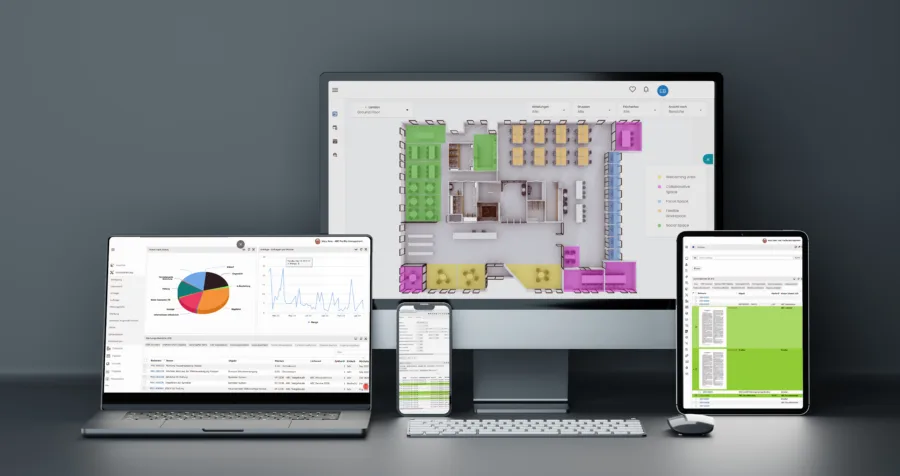
Axxerion is based on the proven SaaS model.
This means for you: whether individually, step by step or as a complete solution – you introduce exactly the modules you really need.You pay a fixed annual license per user, not per module. This keeps your cloud CAFM software flexible, predictable and economical.
If the standard features of a module are not sufficient, our experienced consultants will tailor the solution specifically to your needs.
Below you will find all current modules that you can use for your use cases – clearly presented in alphabetical order.

Workplace Management
- Desksharing
- Reservations
- Realtime availability
- Space usage
Workplace Management


With the deskbooking module you enable flexible and digital workstation booking via various channels. Availabilities are presented in real time, allowing users to immediately identify vacant jobs and book them specifically.
The most important questions
How can I book jobs flexibly and from anywhere?
You easily book jobs through web portal, app, kiosk or QR code – regardless of your location. All bookings are centrally synchronized and updated immediately. This ensures that you can reserve your workstation at any time in a flexible and straightforward manner.
How do I see in real time which jobs are available?
Interactive floor plans show you the current availability of all workstations in real time. You will immediately see which places are available, occupied or reserved. This is how we help you quickly find the right work environment.
How can I reserve workstations specifically for teams or departments?
Workplaces can be specifically assigned and reserved to specific departments, teams or user groups. This optimally aligns land use with your organizational structure. In this way, we enable you to plan your workplace efficiently and according to your needs.
How easy is it to use for employees?
The user interface is designed intuitively and allows for quick booking without long training. Free spaces are clearly displayed and can be reserved with just a few clicks. In this way, we reduce the effort for your employees to a minimum and increase acceptance in everyday life.
How do I improve the use and utilization of my office space?
By transparently displaying and flexibly booking workstations, you increase the utilization of your existing areas. Unused capacities become visible and can be distributed more efficiently. This is how we help you make the most of your resources and reduce costs.

Work safety
- Evaluation
- Measure
- Qualifications
- Incidents
Work safety
With the Axxerion Occupational Safety module, you implement occupational health and safety in your company in a structured, understandable and legally secure manner. They document hazards and risks centrally, manage protective measures in a targeted manner and keep an eye on the qualifications and training of their employees. Accident reports and mandatory documentation can also be recorded and managed efficiently. This will reduce your administrative burden, create greater transparency and reduce your liability risk in the long term.
The most important questions
How can I systematically document and assess hazards and risks in the company?
With the Occupational Safety module, you record and assess hazards in a structured manner according to work areas, activities and risks. This way you document all relevant information centrally in one place and create the basis for legally secure and traceable occupational safety.
How can I derive and track appropriate protective measures for my employees?
Axxerion supports you in specifically assessing risks and deriving appropriate protective measures from them. This will make it easier to implement measures and ensure that your employees are better protected and that legal requirements are reliably met.
How can I centrally manage qualifications, instruction and compulsory training?
Through Axxerion, you keep track of existing and required qualifications of your employees. They coordinate training and qualification measures centrally, avoid gaps in knowledge and ensure that necessary evidence is available at all times.
How can I create accident reports and mandatory reports faster and easier?
For the rapid processing of accidents, Axxerion offers you structured recording and supports you in creating ready-to-ship accident reports for the employers' liability insurance association. This saves time in the reporting process, avoids errors and responds in an organized and safe manner in the event of an emergency.
How do I keep track of key figures, incidents and developments in occupational health and safety?
Meaningful event and accident statistics help you quickly identify developments in occupational health and safety. This will create transparency, better assess risks and specifically derive further improvement measures.

Tendors
- Vendor selection
- Digital contracting
- Offer comparison
- Direct award
Tendors


With the Axxerion Tenders module, you control tenders for goods and services digitally, in a structured manner, and significantly more efficiently. You select suitable providers, send invitations automatically, and clearly compare incoming offers on a central platform. Performance lists, prices, specifications and supplementary documents can also be easily integrated. This will speed up your procurement processes, create transparency and enable orders or orders to be triggered directly from the procurement process.
The most important questions
How can I conduct tenders for goods and services digitally and efficiently?
With the Tenders module you digitize the entire award process from creation to selection. They structure tenders centrally, incorporate all relevant information and ensure that tenders can be processed more quickly, transparently and easily.
How can I specifically select providers and invite them to submit offers?
Axxerion helps you select vendors based on defined criteria and invite them to submit bids directly via email. This allows you to target suitable service providers or suppliers and reduce the manual effort involved in communication.
How can I provide performance lists, prices and tender documents clearly?
They draw up structured lists of services on a catalogue basis and deposit prices, specifications and supplementary documents such as delivery conditions centrally in the tender. This way, providers receive all important information completely and consistently, which reduces queries and improves comparability.
How can I easily compare incoming offers and make the best selection faster?
All offers are presented clearly and graphically so that you can quickly compare and evaluate them. An element-by-element comparison per provider is also possible so that you make informed decisions based on clear offer data.
How can I convert offers directly into orders or orders?
Once selected, offers can be transferred directly into orders or orders. You can even assign individual positions to different providers so that you award flexibly and continue the entire procurement process without breaking the media.

Operator responsibility
- REG-IS
- Compliance
- Risk analysis
- Risk assessment
Operator responsibility
The compliance module assists you in the legally secure organization, documentation and follow-up of all inspection and maintenance measures required by law. Centralized digital management keeps operator obligations per building under review at all times and reliably reduces your liability and organizational risks. The integration of external regulations provides you with additional structured legal and technical information directly in the system. This ensures that all testing and maintenance obligations are met in a complete, traceable and auditable manner.
The most important questions
How can I delegate my statutory operator obligations?
They record and organize all operator obligations directly per building and can delegate these specifically to internal or external controllers. In addition, risk assessments and hazard assessments can be stored per object. In this way, we support you in clearly managing responsibilities and safely complying with legal requirements.
How do I ensure that all inspection and maintenance requirements are fully documented?
All inspection and maintenance measures are recorded without gaps and documented in an audit-proof manner. Mandatory dates, evidence and results remain stored in the system at all times in a traceable manner. This is how we ensure that you are always audit- and legally secure.
How do I get legally relevant information about operator obligations in the system?
By integrating REG-IS, structured legal-technical information on all relevant rulebooks is available directly in the module. This content is sorted by operator obligations and legal requirements and is easy to find. This helps you make decisions based on a secure legal basis.
How can I centrally store documents and evidence of inspection measures?
All relevant documents can be deposited directly to the respective measures, buildings or operator obligations. This makes evidence fully and contextually available at all times, keeping all information centrally bundled and instantly accessible.
How can I record and track inspections and evidence regardless of location?
Employees, service providers and customers can record and view all measures and documentation online, regardless of location. Changes and status updates are available in real time, allowing you to collaborate transparently and flexibly across all stakeholders.

Reporting
- Individuel reports
- Analysis
- Grafics
- Automatic sending
Reporting
With the Axxerion reports and dashboards module, you can evaluate your data quickly, flexibly and clearly. You already have a number of standard reports available, which can be expanded to include individual reports if necessary. Results can be analyzed interactively, saved as PDF, further processed in Excel or sent automatically via email. To complement this, you create dashboards with metrics, charts and lists that display information in real time. This will help you gain more quickly usable insights and keep an eye on important developments at all times.
the most important questions
How can I quickly find the right data in Axxerion and evaluate it specifically?
Flexible search filters allow you to narrow down data according to various criteria and create reports to suit your needs. You also use multiple filters, default values, and dynamic variables like „last week“, „user“, or „my department“ to make evaluations faster and more accurate.
How can I analyze reports in different levels of detail and present them clearly?
With drill-down functions and freely definable evaluation levels, you present data in exactly the depth you need for your analysis. This allows you to identify relationships more quickly, look at partial sums in a targeted manner and obtain both overviews and detailed information in one report.
How can I visualize results as a chart, list, or dashboard?
Axxerion offers you various forms of representation such as lists, charts and digital dashboards with real-time data. They visualize key figures, for example, as line, bar, pie or time charts and adapt dashboards individually to objects such as properties, projects or facilities.
How can I automatically create, export and send reports?
Reports can be automatically generated on the server side at specified intervals and sent to one or more people via email in formats such as HTML, CSV or PDF. Additionally, you can save reports directly as PDFs, print them, or open them in Excel for further analysis.
How can I create custom reports with calculations and interactive adjustments?
In addition to existing standard reports, you can create custom reports with formulas, conditions, and dynamic calculation fields. Each report remains interactive, allowing you to directly customize, update content, and respond flexibly to new requirements.

BIM integration
- Data import
- Connection
- Versions
- dTwin
BIM integration
Axxerion enables the integration of BIM models into the CAFM system by extracting and importing model-based asset information through a standardized interface. These models, which are enriched with extensive data during the planning and construction phases, serve as the basis for building management. Individual objects in Axxerion can be linked directly to the model, making it easier to view vendor information or work orders. Model changes can be imported back into the system, automatically updating areas and assets. Access to models is possible at any time and regardless of the device. Note: For advanced and deeper BIM functionality, Axxerion can be connected to the additional software dTwin (Nemetschek SE) via an interface.
The most important questions
How can I integrate BIM models into my CAFM system and use them for building management?
Axxerion takes model-based information from BIM models into your CAFM system via a standardized interface. This will allow you to use data collected during the planning and construction phases directly for ongoing operations and create a reliable basis for your building management.
How can I link objects from the BIM model to information?
Individual objects in Axxerion can be linked directly to the respective model. This allows you to access additional information about systems and components more quickly, such as supplier information or associated work orders, and gain a better overview of the relationships in the building.
How can I keep changes from the BIM model up to date?
Changes to the model can be re-imported into the system so that areas and facilities in Axxerion are automatically updated. This reduces manual maintenance and helps you work with consistent and up-to-date building data.
How can I access BIM data at any time and regardless of the device?
Access to the models integrated in Axxerion is possible at any time and regardless of the device used. This means that important building and property information is also available to you on mobile devices, for example during tests, inspections or technical operations.
How can I use advanced BIM features via Axxerion?
For deeper BIM applications, Axxerion can be connected to Nemetschek's dTwin via an interface. This will add additional BIM functionality to your CAFM system if needed and create an even closer connection between model, data and building operations.
Budget management
- Scenario-based
- Integrated
- Multi-annual
- Integrally
Budget management
With the Axxerion Budget Management module, you create a solid foundation for long-term decisions around buildings, personnel and resources. They analyse different scenarios, compare economic impacts transparently and assess costs, revenues and financing needs in a structured manner over different time periods. This way you can see early on how investments, utilization or price developments affect profitability and cash flow. This makes it easier for you to plan safely, understandably and in a future-oriented manner.
The most important questions:
How can I compare costs, revenues and financing needs in a structured way?
With Axxerion, you plan expected costs such as maintenance, personnel, energy, taxes, and interest accrually and directly compare these potential revenues. This provides a robust overview of the economics, liquidity needs, and financial performance of your projects.
How can I compare different planning scenarios and make better decisions?
Scenario analysis allows you to compare different planning variants transparently and understandably. This helps you more quickly identify which assumptions, developments, or measures make economic sense and what impact alternative scenarios have on your long-term planning.
How can I realistically incorporate price developments, growth and utilization into my planning?
Axxerion helps you specifically include price increases, inflation assumptions, growth rates and different utilization scenarios in your calculations. This will better reflect real developments and create planning that is sustainable not only in the short term but also over several years.
How can I economically evaluate investments and financing?
The module analyzes planned investments and their impact on earnings, liquidity, and cash flow. At the same time, you will examine whether and to what extent external financing is necessary so that you can evaluate strategic measures on a transparent decision-making basis.
How can I integrate maintenance data and periodic evaluations into my strategic planning?
Existing maintenance data can be transferred directly from the multi-year maintenance plan into strategic planning. In addition, you will receive period-specific evaluations of costs, revenues and cash flows, which will allow you to clearly understand developments per period and compare planning variants more easily.

CAD-integration
- Space creation
- Area calculation
- Interaktive floor plans
- Data linking
CAD-integration
With the Axxerion CAD and Area Management module, you use existing CAD drawings to map rooms, areas and occupancy more quickly and accurately in your CAFM system. Rooms and departments can be created automatically from drawings, floor plans can be displayed interactively and areas can be calculated directly. You can re-import changes to plans at any time so that your room data remains up-to-date. This saves time on area maintenance, reduces manual errors and gives you a better overview of use, occupancy and building structures.
The most important questions:
How can I use CAD drawings to automatically create rooms and departments in Axxerion?
If you have CAD drawings such as DWG files, they can be used to automatically create rooms and departments in Axxerion. This saves you a lot of manual effort, speeds up data maintenance and helps avoid errors when transferring area and room data.
How can I evaluate floor plans and areas in Axxerion directly from CAD data?
DWG and DWF files can be linked to rooms and floors, allowing you to use and evaluate floor plans directly in Axxerion. In addition, the system calculates areas based on the stored geometries and clearly displays gross, net or rentable areas as required.
How can I create interactive floor plans for usage, occupancy, and utilization?
Floor plans can be displayed interactively in Axxerion and color-coded according to type of use, department, or utilization rate. This allows you to see at a glance how areas are used, where capacity exists and how occupancy is distributed within a building.
How can I update modified CAD drawings without manually updating all room data?
After making changes to your DWG drawings, simply re-import the updated plans into Axxerion. The system recalculates areas and automatically creates or removes rooms depending on their geometry, keeping your room and area data up to date without double maintenance.
How can I link objects, rooms or other information directly in CAD drawings?
Hyperlinks make individual rooms, people, or furnishings accessible directly from the drawing in Axxerion. This allows you to access related information more quickly, such as vendor data or open work orders, and connect graphical plans directly to the relevant object information in the system.

Document management
- Approvals
- Versions
- Revisions
- Folder structure
Document management
With the Axxerion Document Management module, you manage your documents centrally, securely and process-driven. You edit, share, version, and archive documents across locations and integrate them directly into your existing workflows. Defined access rights, audit security and seamless follow-up ensure greater control in the daily document process. How to create a structured document repository, improve collaboration, and keep track of content, changes, and releases at all times.
The most important questions:
How can I manage documents centrally and make them available across locations?
With the Document Management module, you access centrally stored documents from different locations and can edit, view or exchange them. This ensures that all stakeholders work with the same up-to-date documents and that information is available more quickly.
How can I control releases, archiving and other document processes in a structured way?
The module is fully integrated into Axxerion workflow management and supports processes such as approving, publishing, archiving or printing. This allows you to tailor processes specifically to your user groups and control document processes clearly, understandably and efficiently.
How can I track versions, changes and editing statuses?
Through version control, revision control and a document-related logbook, you can keep track of all changes at all times. You'll see who created, modified, read, or downloaded a document, and you can still access and download older versions.
How can I find documents faster, comment on them, and link them to other information?
A full-text search makes it easier for you to quickly find content within all documents. In addition, you mark important points directly in the document, add comments and link documents to other documents, buildings or inventory objects so that connections become immediately visible.
How can I securely control access to documents and inform users automatically?
Access rights can be assigned to each user group based on location or document status, so that only authorized persons receive access. In addition, automatic notifications inform defined user groups about changes to documents or folders so that all relevant stakeholders remain up to date.

Gefma 444 certified
Our CAFM software has been continuously tested by gefma – the German Association for Facility Management– since 2011 and has been continuously certified in important catalogs ever since.
This gives you the confidence to rely on audited and established cloud software that meets the needs of modern facility management.
Since 2024, our modules for energy controlling, workplace management and IoT data processing have also been certified for the first time.

Purchasing
- Product data
- digitale procurement
- Stock
- Cataloge
Purchasing
With the Axxerion module Purchasing, you manage product data, categories and procurement information centrally and flexibly in one system. For each product category, you define individual properties, data fields, and access rights, tailored to your users' respective tasks. Documents, inventory, article links, and catalog data remain clearly available at all times and can be integrated into existing processes. How to digitize your purchase, improve data quality and create a reliable basis for efficient procurement processes.
The most important questions:
How can I flexibly manage product data and product properties by category?
In the purchasing module, you define individual data fields for each product category and maintain as many product properties as you like. How to tailor your product management precisely to your needs and ensure that the right information is available in a structured manner for each product group.
How can I digitize purchasing processes across locations and maintain them centrally?
Product information can be centrally edited and kept up to date by different users regardless of location. In conjunction with the Webshop module, you also digitize the purchasing process continuously and create a uniform database for your procurement
How can I better keep track of inventory, reorders, and item-related documents?
By connecting to inventory management, you can view existing stocks and ongoing orders directly and receive suggestions for necessary reorders. At the same time, you deposit all relevant documents related to an item centrally so that product information and documentation can be quickly accessed at any time.
How can I link products, inventory, and related components?
Items from the product catalog can be connected directly to your inventory and also map relationships between different products or components. This makes it easier to identify relationships, improves clarity and also manages more complex product structures much more easily.
How can I browse, import, and professionally deploy product catalogs?
Based on defined properties, you can search specifically for products and services and find relevant articles more quickly. Additionally, you can easily import and export product data and categories and, if necessary, automatically create a customizable catalog with photos and product information in PDF format.

Energy management
- Meter readings
- Consumption
- Cost overview
- Reportings
Energy management
With the Axxerion Energy Management module, you introduce structured and standard-compliant energy management in your company, for example according to DIN EN ISO 50001. They record consumption centrally, link meters to buildings, rooms, facilities or supply contracts and evaluate energy data clearly. In this way, you create transparency about consumption, costs and relationships and identify savings potential much more quickly. At the same time, you support documentation, billing, maintenance and reporting processes in an end-to-end system.
The most important questions:
How can I digitally implement standard energy management according to DIN EN ISO 50001?
With the Energy Management module, you configure consumption meters centrally and link them to buildings, rooms, technical systems or energy supply contracts if necessary. This will create a reliable database for structured energy management and support the implementation and maintenance of standardized processes.
How can I evaluate energy consumption transparently and visualize it in an understandable way?
Interactive charts, meter groupings, and dynamic meter hierarchies help you quickly understand and safely evaluate even complex consumption data. This will help you identify anomalies, developments and connections earlier and create a sound basis for decisions in energy management.
How can I easily record meter readings and provide them to everyone involved in real time?
Meter readings can be recorded on an internet-based basis for each object and provided centrally, even via mobile devices such as smartphones or tablets. In addition, automatic reading is possible, for example via the connection of a GLT, so that your measurement data is currently available in the system without media breakage.
How can I bill energy consumption on a polluter-pays basis and deposit tariffs?
In Axxerion, you link consumption meters not only to measured values, but also to prices per unit of consumption. How to calculate tariffs transparently and charge energy consumption internally or externally on a polluter-pays basis.
How can I better manage maintenance, notifications and funding requirements in energy management?
Based on operating hours or meter readings, maintenance appointments can be calculated automatically and suitable work or maintenance orders can be triggered directly. In addition, the system automatically informs participants about upcoming tasks, and supporting energy management according to DIN EN ISO 50001 also creates a good basis for funding-relevant requirements.

Finance
- Invoices
- Budgets
- Accounting
- Reportings
Finance
With the Axxerion Finance module, you control invoices, budgets, payments and financial evaluations centrally in one system. They combine commercial processes with operational operations, automate approvals and keep an eye on costs, budgets and bookings at all times. At the same time, you create transparency about orders, accounts and financial developments. This will simplify your financial management, reduce manual effort and create a reliable basis for informed decisions.
The most important questions:
How can I centrally record, approve, and process invoices and orders?
In the Finance module, you manage invoices and orders in an end-to-end process from capture through approval to export to external financial systems. How to reduce manual intermediate steps, speed up releases and ensure a structured process in your financial organization.
How can I monitor budgets, sub-budgets and budgets in real time?
Multiple budgets and sub-budgets can be managed in parallel and reconciled directly with defined budgets. This helps you identify budget deviations early on, better monitor cost developments, and create more certainty in your financial planning.
How can I correctly classify, record and map invoices internationally?
Invoices are structured according to hierarchy, rank and type and can be flexibly posted to accounts receivable and payable accounts. In addition, the system automatically takes into account currency conversions and country-specific VAT rates, so you can also securely map international financial processes.
How can I efficiently control releases, payments, and status overviews?
Individually definable workflows support you with automated approval and payment processes. At the same time, employees and project managers see the current status of invoices and orders at all times, making processes more transparent and easier to control.
How can I quickly evaluate financial metrics, financial statements and reports?
Balance sheet and profit and loss account are automatically compiled on the basis of booked sales and costs. In addition, you will receive standardized reports with monthly, quarterly or annual figures at the touch of a button so that you can evaluate financial developments more quickly and make more informed decisions.

Space management
- Space data
- Space usesage
- Evaluations
- Reservations
Space management
With the Axxerion module Area Management you manage buildings, floors and rooms centrally, transparently and in accordance with standards in one system. They link areas with people, cost centers and inventory and evaluate occupancy, availability and use in real time. By integrating CAD plans, you plan surfaces visually, identify optimization potential faster and control operational processes much more efficiently. This will support both day-to-day operations, such as moving, cleaning and maintenance, as well as strategic tasks such as budgeting, tendering and documentation.
The most important questions:
How can I record areas in a structured manner within the company and evaluate them in accordance with standards?
With the Area Management module, you centrally record buildings, floors and rooms and assign these people, groups or departments in a targeted manner. Areas, room sizes and uses are automatically calculated and evaluated taking into account common standards such as DIN 277 and DIN 276.
How can I use CAD plans directly for my area planning and area analysis?
CAD plans can be directly linked to areas, rooms, people and inventory objects, allowing you to present information visually and clearly. This will help you identify area consumption, occupancy and relationships more quickly and make your area planning much more transparent.
How can I keep a central eye on budgets, documents, and area-related information?
Budgets for projects, relocations, cleaning or maintenance are created directly on an area-by-area basis and tracked continuously. At the same time, you manage all relevant documents such as CAD plans or invoices centrally in one place so that important information is quickly available at all times.
How can I organize moves, job changes, and land use more easily?
Plan and control partial and complete moves of employees, departments, floors or individual workstations centrally in a system. Automatically created packing lists and clearly structured processes help you prepare moves more efficiently and implement them more smoothly.
How can I better manage reservations, cleaning and ongoing area processes?
For areas, calendar functions are available that make it easy to manage reservations, maintenance or cleanings. Cleaning tasks from maintenance or special cleaning can also be processed and documented using defined processes, making ongoing operations easier to plan and understand.

Fleet management
- Vehicle user
- Maintenance
- Inventory
- Costs & contracts
Fleet management
With the Axxerion fleet management module, you can manage your entire fleet centrally, transparently and economically in one system. They keep vehicles, users, availability, costs, and conditions in mind at all times, creating a reliable foundation for daily operations. Maintenance, contracts, deadlines, and vehicle values can be managed in a structured manner and documented seamlessly. This will improve the utilization of your vehicles, reduce risks and keep the economy of your vehicle fleet under permanent control.
The most important questions:
How can I centrally manage vehicles, users and availability in the fleet?
With the Fleet Management module, you can immediately see who uses each vehicle and who it is assigned to. The integrated calendar function allows you to check availability, manage reservations and keep a clear overview of fares, deposits and the current vehicle status at all times.
How can I transparently control costs, vehicle values and insurance information?
They deposit purchase prices, residual values and depreciation methods directly in the system and have the current vehicle value calculated automatically. In addition, they document replacement values for insurance cases and thus create a robust basis for cost control and economic decisions.
How can I reliably organize maintenance, servicing and warranty periods for vehicles?
For each vehicle, you have a separate maintenance and repair calendar in which you plan, document and evaluate measures according to duration and costs. Guarantee periods are monitored by the system so that repairs can be carried out in a timely manner within existing guarantees and unnecessary costs are avoided.
How can I safely manage leasing, insurance, and service contracts?
You manage contracts related to your vehicles centrally with all relevant information and deadlines in one place. These include, but are not limited to, payment deadlines, termination dates, and renewals so you can stay on top of things at all times and significantly reduce contractual risks.
How can I keep track of deadlines and important appointments in the fleet in a timely manner?
Automatic reminders and notifications help you avoid missing important appointments. This way, you can manage deadlines around maintenance, contracts or insurance much more reliably and ensure that your fleet can be operated smoothly and safely.fdcvv

Warranty management
- Defects
- Deadlines
- Workflows
- Documentation
Warranty management
With the Axxerion warranty management module, you can keep a central and transparent view of all defects, residual services and warranty claims. They record new or existing deficiencies in a structured manner, reliably monitor deadlines and control processing through traceable processes. At the same time, you document all transactions, letters and evidence completely and audit-proof. This ensures the quality of your objects, avoids unnecessary delays and tracks warranty cases much more efficiently.
The most important questions:
How can I quickly identify deficiencies and clearly document them?
Detected defects are recorded directly in the system in a mobile, fast and structured manner. By graphically locating via object maps, photos, or accurate location descriptions, you reliably secure evidence and create seamless documentation from the start.
How can I precisely assign defects and warranty claims to a location or object?
Axxerion helps you clearly locate defects and link them directly to the affected facilities, areas or objects. This allows you to immediately see where a problem has occurred and handle warranty cases in a more targeted and transparent manner.
How can I reliably monitor deadlines in warranty management?
For each warranty transaction, you set any number of deadlines and thereby keep complex contract structures in mind. This allows you to identify in a timely manner which deficiencies need to be remedied by when and reduces the risk of missed claims or delays.
How can I control warranty processes with clear workflows?
Status changes, tasks and deadlines are automatically initiated on the system side via defined workflows. Letters such as complaints about defects can also be integrated directly into the process, so that all parties involved work together in a comprehensible, structured and time-safe manner.
How can I trace all documents and processes in an audit-proof manner?
All documents, letters and information are logically linked to the associated facilities and processes. As a result, all processes remain traceable at all times, centrally accessible and documented in a audit-proof manner, which makes warranty tracking significantly more efficient.
Inventory management
- Cataloge
- Usage
- Availability
- Documentation
Inventory management
With the Axxerion Inventory Management module, you manage all your physical and digital inventory centrally, transparently and efficiently in one system. You keep track of the use, availability, values, costs and conditions of your inventory objects at all times. At the same time, you manage maintenance, guarantees, stocks and related documents in a structured and traceable manner. This will improve the utilization of your inventory, reduce unnecessary costs and create a reliable basis for operational and economic decisions.
The most important questions:
How can I structure inventory objects by category and manage them centrally?
With the Inventory Management module, you create unlimited categories, assign inventory objects appropriately, and organize them into clear catalogs. In addition, you define individual fields per category so that information such as descriptions, usage, purchase prices or special features are maintained centrally and uniformly.
How can I keep track of the use, values, depreciation and warranty periods of my inventory?
For each inventory object, you record users, owners, acquisition value, residual value, and depreciation methods directly in the system. Replacement values and warranty periods are also documented in a comprehensible manner, so that you can better evaluate the cost-effectiveness of your inventory and avoid unnecessary repair costs.
How can I efficiently control maintenance, servicing and reservations for inventory?
Each item has its own calendar for maintenance, servicing and cost planning. Additionally, you can see reservations, rates, deposits, and the current status of your inventory items at a glance, making deployment and availability easier to plan.
How can I transparently manage stocks, movements and reorders of my inventory?
Stocks, selling prices and quantities already ordered are clearly displayed at all times. Changes in inventory track you through detailed transactions, and if needed, the system even supports you with automatic reorders to keep your inventory and inventory control efficient and reliable.
How can I centrally store documents for inventory objects and retrieve them at any time?
You manage all related documents such as operating instructions, warranties or test reports directly with the respective inventory object. This means that important documents are available centrally at all times, remain documented with audit certainty and can be quickly found by your employees.

Property Administration
- Building data
- Inventory & teams
- Budget
- Location overview
Property Administration
With the Axxerion Property Management module, you manage your own and rented properties centrally, transparently and efficiently in one system. You keep track of buildings, spaces, areas, uses and resources throughout the life cycle of your properties. At the same time, you link sites to inventory, documents, inspections, budgets and ongoing processes. How to optimize land use, operating costs and organizational processes sustainably.
The most important questions:
How can I manage buildings, spaces and areas in a structured way?
With the Property Management module, you centrally record buildings, rooms and areas and assign them to individual categories, people, departments or teams. Areas are calculated automatically, so you can see at any time which rooms are occupied, where capacity remains available and how your properties are currently being used.
How can I visually analyze real estate, land, and parcels on maps?
Using the integrated map view, you display properties, land, and parcels graphically and clearly. You visualize important metrics such as ownership, market value, occupancy, or energy consumption using individual color schemes and switch flexibly between different map and analysis views.
How can I centrally control rooms, inventory, inspections, and moves in a property?
Rooms and buildings can be directly linked to inventory objects, so that location, use and availability remain traceable at all times. In addition, you plan and document maintenance, tests, inspections, and partial or complete moves centrally in the system and assign them directly to projects if necessary.
How can I efficiently manage documents, applications, and nuisance or damage reports?
You store all important documents such as plans, permits or estimates centrally and quickly access them again if necessary. At the same time, users record applications as well as nuisance or damage reports directly in the system, which automatically initiates workflows and controls processes more transparently.
How can I keep track of budgets, reservations, and ongoing tasks for my properties?
For each building, you deposit budgets, work orders and maintenance measures and track them in a structured manner in the system. In addition, you use calendar functions for rooms to plan reservations, maintenance or cleaning efficiently and to keep an up-to-date overview of costs, usage and open tasks at all times.

Mobile Solutions
- Offline function
- Real time access
- Plausibility check
- Scan function
Mobile Solutions
With Axxerion's mobile solutions, you can access your strategic and operational tasks anytime, anywhere. Whether work orders, maintenance, service reports, fault messages or CRM processes – all important processes are available to you on mobile via web-based workflow management. This allows you to work directly on-site, respond faster and keep information up to date without any detours. This improves collaboration, reduces media breaks and makes your processes significantly more flexible.
The most important questions:
How can I use Axxerion on my smartphone and tablet?
Axxerion is available to you both as a mobile web application and as a native app for iOS and Android. This allows you to access your system's functions directly from your mobile device and use important processes flexibly in the office, on the go or directly on site.
How can I work with Axxerion on mobile even without a stable internet connection?
Even without a continuous internet connection, you can work on tasks directly on the mobile device. The data is stored locally and automatically synchronized as soon as a connection is reconnected, allowing you to work location-independently while still keeping information up to date.
How can I process work orders, service reports, and information directly on-site in real time?
Mobile solutions allow you to review and update information directly at the scene and resend work orders, service requests, or timesheets without delay. Additionally, you capture photos, update inventory data, and use GIS and map functions for navigation and location documentation.
How can I reduce errors in mobile input and documentation?
Mobile inputs are automatically checked for completeness and plausibility, so that incorrect or incomplete information is detected more quickly. This will help you avoid problems that often arise with handwritten notes or paper-based processes and ensure higher data quality.
How can I quickly access asset and maintenance information via barcode or QR code?
Built-in scanning features allow you to capture barcodes and QR codes directly with the mobile device. This allows you to immediately access relevant information about assets, objects and maintenance histories and significantly speeds up work during audits, maintenance and service operations.
Questions about our modules? Write to us!

Utilities
- Cost overview
- Data linking
- Billing
- Consumption meters
Utilities
With the Axxerion utility billing module, you manage ongoing costs for properties and buildings transparently, in a structured and efficient manner in one system. They automatically cover invoicing costs, take direct tenant costs into account and reliably bill tenants for additional costs. You keep track of both pay-as-you-go costs and landlord costs at all times. This simplifies your billing processes, reduces manual effort and creates a comprehensible basis for legally secure administration.
The most important questions:
How can I correctly map transfer keys and cost parameters for different tenants?
For each cost type, you set individual transfer keys, taking into account changes in land use during the billing period. This way, you can correctly represent even different contractual agreements of individual tenants and create a precise basis for utility billing.
How can I take account of existing area, cost and payment data?
Data that already exists, such as areas, types of costs or advance payments, can be incorporated directly into the statement. In addition, you can support audit lists and overviews in preparation so that you can check invoices more quickly and create them more securely.
How can I efficiently create utility bills and process changes directly?
Bills can be created, checked as often as you like and booked directly after release. Changes to advance payments are automatically deposited in the tenant master data, so your billing data remains up-to-date and follow-up processes continue without additional effort.
How can I better manage invoices, payments, and approvals in utility billing?
Invoices are structured according to hierarchy, ranking and type and can be linked to workflows for authorization and on-time payments. Automatic reminders before due date help you meet deadlines and reliably control payment processes.
How can I integrate consumption meters into utility billing?
You set up any number of consumption meters per property and bill costs based on consumption based on cause. This allows you to transparently collect energy, water, or other consumption data and integrate it directly into a correct and traceable utility bill.

Project management
- Team
- Gantt-Diagramm
- Time recordings
- Budget
Project management
With the Axxerion Project Management module, you control internal and external projects centrally, transparently and efficiently in one system. They coordinate tasks, teams, budgets, times and documents, keeping an eye on the current project status at all times. Standardized workflows, clear responsibilities, and automated evaluations help you safely manage operations and improve collaboration. In this way, you create more transparency, reduce coordination effort and make projects more economically successful.
The most important questions
How can I centrally manage project teams, roles, and access rights?
In the project management module, you store all stakeholders in a central location with their contact details, roles, access rights and project-related costs. How to clearly manage responsibilities, improve the flow of information, and ensure that every person has access to exactly the information they need for their tasks.
How can I plan and control projects, tasks and release processes in a structured way?
They create project and schedules, assign tasks in a targeted manner and track their progress transparently in the system. In addition, standardized or project-specific workflows, such as those for budget approvals, changes or approvals, help to clearly structure your processes and implement them efficiently.
How can I better organize project documents, construction site information, and collaboration?
Project-related documents can be uploaded, viewed, commented on centrally and shared with the team depending on the respective access rights. In addition, you record all relevant information from construction sites in a structured and comprehensible manner in the construction diary, so that important project data remains available at all times.
How can I transparently monitor budgets, orders, invoices and working hours in projects?
Plan, release and monitor project budgets directly in the system and link them to orders, invoices and external financial solutions. At the same time, employees and partners record their working hours online, which are controlled via plausibility checks and released through defined approval channels so that you can keep track of costs, resources and project progress at all times.
How can I bill projects, make forecasts, and use meaningful reports?
Recorded and approved hours are directly included in budgets, cost and revenue figures and form the basis for precise project billing based on effort or fixed price. In addition, forecasts of hours, costs and sales as well as automated or individual reports help to identify developments early and optimize your project management in a targeted manner.

Cleaning management
- Operational planning
- Checklists
- Cleaning area
- Usage
Cleaning management
With the Axxerion module Cleaning Management you organize, document and control cleaning measures for buildings, rooms and facilities centrally in a system. They plan operations in a structured manner, keep quality controls and budgets in mind and document all measures without gaps. This will improve the management of internal and external cleaning services and create more transparency about effort, costs and results. This makes your cleaning more predictable, economical and easier to understand.
The most important questions
How can I centrally plan cleaning orders and operations and keep track of the status at all times?
With the Cleaning Management module, employees, customers and service providers record reports online and receive work orders directly in the system. Through the operational planning and graphic planning panels, you transparently monitor all planned, ongoing and completed cleaning measures and quickly adapt them if necessary.
How can I reliably document cleaning services with checklists and quality controls?
For each cleaning task, you create individual checklists based on your service directories and document the execution in a structured manner. In addition, you carry out quality controls, takeover protocols or voting digitally and then evaluate the results graphically.
How can I control cleaning processes with IoT data more efficiently?
By connecting IoT sensors, you can monitor room usage in real time and identify unused areas more quickly. This allows you to schedule cleaning jobs more appropriately, allocate resources more effectively, and avoid unnecessary cleaning services.
How can I control material usage, working hours and costs in cleaning management?
Material consumption, working hours and costs incurred are automatically recorded and directly compared with planned budgets. In addition, you create offers including the use of materials and hours and assign each work order to a budget cycle so that you keep an eye on the cost-effectiveness at all times.
How can I understand cleaning measures, participants and costs in the long term?
For each area, you will document all cleaning measures, people or service providers involved, and the associated costs historically and completely. This will provide a reliable basis for billing, audits, evaluations and controlling processes.

Reservation management
- Interactive floor plans
- Central bookings
- Cost allocations
- Reportings
Reservation management
With the Axxerion Reservations module, you can organize rooms, technology, vehicles, catering, visitors and many other resources centrally and efficiently in one system. Through the web browser, mobile devices or other booking points, you access all available resources flexibly and book them quickly and transparently. Smart search features, interactive floor plans and a clear calendar will help you find suitable resources immediately. This will simplify your booking processes, improve utilization and create more transparency in day-to-day business.
The most important questions
How can I reserve rooms, technology, vehicles and other resources centrally?
With the Reservations module you book rooms, technology, catering, visitors, vehicles and other objects in a central system. This allows you to control all reservations in one place, avoid double bookings and create a significantly more efficient booking process for your employees.
How can I find available resources faster and book directly visually?
Smart search filters help you select resources based on size, features, availability or individual criteria. Additionally, check and book open spaces directly via interactive floor plans and keep a clear overview of all available spaces in the calendar.
How can I integrate inventory, contacts, parking, and sensors into the reservation?
Reservable resources can be expanded flexibly, for example with inventory objects, contacts or parking spaces. By connecting sensors, you also record the actual space utilization and automatically free up unused spaces when needed to use your space more efficiently.
How can I correctly map costs, deposits, and cost centers for reservations?
For bookings, you deposit different rates of fees, supporting automatic billing. In addition, you record deposits, return details, damages and comments directly in the reservation and automatically or manually assign bookings to the appropriate cost centers.
How can I document, evaluate and control reservations with releases?
For each reservation, you deposit documents, files and annotations centrally in the system. In addition, you analyze bookings by room, department, person or object and control releases via individually configurable workflows so that your reservation processes remain transparent, traceable and flexible.

Sensors
- Real time data
- Space optimization
- Interactive Touchpoints
- Sensors
Sensors
With our sensors, you can make your buildings smarter, more transparent, and more efficiently controllable. They collect sensor data in real time, visualize the use of space and spaces, and thus create a solid foundation for better decisions in building operations. At the same time, you improve user comfort, optimize resource use, and support your facility team with daily tasks. How to connect building data, processes and services in a smart and future-proof solution.
The most important questions
How can I collect sensor data in real time and use it for my building management?
With the IoT Integration module, you collect sensor data centrally and visualize it directly in Axxerion. This gives you a transparent overview of conditions, uses and developments in your buildings in real time and creates a robust data basis for operational and strategic decisions.
How can I better analyze and optimize land use in my building?
Wireless sensors anonymously record the use of rooms, areas and even parking spaces. The results are color-coded into site plans so you can immediately see which areas are being used heavily, where capacity remains free, and how you can specifically improve your land use.
How can I improve comfort and working conditions through IoT data?
By continuously recording indoor air quality, temperature and humidity, you create a better basis for pleasant and safe working conditions. This will improve comfort in the workplace, support the well-being of users and at the same time create more transparency about the indoor climate in your buildings.
How can I provide interactive smart building services to employees and visitors?
Apps, touchscreens and displays allow your employees and visitors to interact directly with the building, for example when booking rooms or workstations, when reporting tickets or when navigating the building. Smart room displays also help avoid ghost meetings and use resources more efficiently.
How can I support my facility team more efficiently with sensor-based processes?
Your facility team benefits from a virtual work assistant that prioritizes scheduled tasks, service requests, and sensor-controlled deployments and clearly visualizes them on site plans. This allows you to manage workflows more precisely, respond more quickly to actual needs and relieve the burden on your team in daily building management.

Key management
- Handover
- lear assignment
- Predictable
- Access controle
Key management
With the Axxerion Key Management module, you control physical access to rooms, buildings, and inventory in a centralized, secure, and traceable manner. You manage lock cylinders, keys, and associated objects in a structured system, seamlessly documenting expenses, withdrawals, and security-related events. This will create maximum transparency about access rights, responsibilities and holdings. This will increase security in your business and keep the entire life cycle of your locking systems in mind at all times.
The most important questions:
How can I centrally manage lock cylinders and keys and document them seamlessly?
With the Key Management module, you centrally record all lock cylinders with information such as type, make, access code, installation date and cost. At the same time, you fully document key holdings, expenses, and withdrawals so that you can always track which keys are in circulation and to whom they have been assigned.
How can I assign keys, cylinders, and access rights to specific rooms or objects?
Lock cylinders can be specifically assigned to rooms, floors, buildings or even technical objects such as machines and vehicles. This allows you to quickly identify which keys are assigned to which areas and creates a transparent basis for the secure management of access rights.
Schließzylinder können gezielt Räumen, Böden, Gebäuden oder auch technischen Objekten wie Maschinen und Fahrzeugen zugeordnet werden. Dadurch können Sie schnell erkennen, welche Schlüssel welchen Bereichen zugeordnet sind und schaffen eine transparente Grundlage für die sichere Verwaltung von Zugriffsrechten.
Loss or theft cases clearly record and historicize in the system so that critical events remain traceable at all times. In addition, you also manage special key types such as master or lock pick keys in a structured manner and thus keep sensitive access under particularly secure control.
How can I map key allocation processes securely and in an organized manner?
Using defined workflows, you control the output and release of keys according to clear processes, for example in the dual control principle. This reduces the risk of unauthorized access, creates binding processes and increases organizational security when assigning keys.
How can I keep track of maintenance, replacement, and the life cycle of my locking systems?
With Axxerion, you systematically plan and document inspections, maintenance, and cylinder replacement. This will keep a permanent eye on the condition of your locking systems, ensure reliable operation and manage the entire life cycle of your access infrastructure much more efficiently.
Get to know us
Book a timeslot for your software presentation
We are pleased that you are interested in our CAFM system and would be happy to give you a practical insight into our software.
In a personal online meeting, we will introduce you to Axxerion in about an hour and show you how you can digitally map your FM processes.

Ticketsystem
- Automatic
- Workflow based
- Time monitoring
- Individuel
Ticketsystem
With Axxerion, you collect and process requests, disruptions and messages centrally and in a structured manner in a system. They control all processes automatically and ensure that every task ends up directly with the right person. The current processing status remains transparent to you and all parties involved at all times. How to improve your response times, increase the quality of service and maintain control over all operations at all times.
The most important questions:
vHow can I efficiently control requests and disruptions and assign people?
With Axxerion, you define individual workflows for each type of request and automate assignment to responsible people or teams. Complex processes with parallel processes and decision rules can also be easily mapped. This is how we ensure that your processes function smoothly, in a structured manner and without manual coordination.
How do I keep track of the current status?
With Axxerion, you can track the processing status of each request in real time – clearly in lists or graphical representations. Automatic notifications via email or SMS inform you and your team about new or open tasks. This ensures that everyone involved is up to date at all times and can react quickly.
How can I adapt the system to my needs and protect sensitive data?
The software allows you to flexibly extend masks with individual fields and processes. At the same time, you control who can see or edit which information through roles and rights. This allows you maximum flexibility while maintaining high data security.
How do I ensure that deadlines are met and processes are initiated automatically?
With our CAFM you automate time-dependent processes via intelligent triggers and defined rules. Reminders, escalations and follow-up processes are automatically triggered when deadlines are reached or exceeded. This is how we help you reliably maintain service levels and control your processes efficiently.

Environmental protection
- Environmental and disposal data
- Dashboards
- Workflow
- Budget control
Environmental protection
With the Axxerion Environmental Protection Management module, you document and manage all relevant environmental and disposal data centrally in one system. They record waste generation, water discharges and disposal processes in a structured manner and evaluate them in a comprehensible manner. This will give you an up-to-date overall picture of resource consumption, costs and ecological impacts at all times. This will create greater transparency, improve your record keeping and manage environmental processes much more efficiently.
The most important questions
How can I centrally document waste quantities, types of disposal and environmentally relevant data?
With the Environmental Protection Management module, you record waste types, quantities, transport and disposal routes in a structured manner at a central location. In this way, you also fully document water discharges and other environmentally relevant indicators and create a reliable basis for transparency and evaluation.
How can I manage receipts, accompanying notes and environmental documents without falling?
Relevant documents such as accompanying notes, evidence or guidelines assign you directly to the respective processes. This creates a complete and traceable chain of evidence that allows you to securely document and substantiate environmental and disposal processes at any time.
How can I manage environmental processes with clear workflows and traceable steps?
Workflow integration ensures that operations are not processed further until they are fully documented. In addition, you record notes and comments historically at all stages so that processes remain transparent and every processing step is documented in a comprehensible manner.
How can I evaluate environmental indicators, costs and developments in real time?
Individually configurable dashboards provide you with metrics in the form of reports, graphs, and tables with live data. This allows you to directly compare planned and actual values, analyze cost developments in a targeted manner and gain more meaningful insights into your environmental and operational data more quickly.
How can I better plan environmental protection deadlines, measures and budgets?
For containers and related processes, use calendar functions that allow you to schedule appointments and actions across different time periods. Additionally, deposit and analyze hourly and cost values so that you can specifically manage financial and organizational resources in environmental protection.

Moving management
- Projectbased
- Visuell
- standard-compliant
- Analystic
Moving management
With the Axxerion moving management module, you plan and control moves of employees, departments, floors or individual workstations centrally in a system. Whether internal job changes or changes across locations – all steps can be organized, documented and evaluated in a structured manner. In doing so, you directly link areas, rooms, people and inventory to the relocation process and keep track of progress, responsibilities and impacts at all times. This will reduce voting effort, create transparency and implement moves much more efficiently.
The most important questions:
How can I centrally plan and coordinate relocations of employees, departments or workplaces?
With the Moving Management module, you control moves from individual workstations to entire departments centrally in one system. This allows you to organize responsibilities, procedures and appointments clearly and ensure a structured and smooth moving process.
How can I organize partial moves and larger moving projects clearly?
Partial moves can be created separately and clearly assigned to higher-level projects. This way, even in more complex projects, you can keep track of individual measures, manage them in a targeted manner and coordinate major changes much more efficiently.
How can I incorporate CAD plans, space, and inventory into my relocation planning?
Floor plans are embedded directly into the relocation process as CAD files or PDFs, linking them to areas, users, rooms, objects, and inventory. This allows you to clearly visualize relationships, identify spatial impacts more quickly, and improve the planning of occupancy and job changes.
How can I transparently evaluate land use, personal allocation, and spatial structures during the move?
Axxerion helps you automatically extrapolate space to building or organizational units and allocate spaces specifically to people or departments. This is how you analyze area indicators per person or area, create transparency about use and identify optimization potential in the area distribution.
How can I reliably manage budgets, standards and documents in relocation management?
Costs can be specifically planned and monitored per area or project, while standards such as DIN 277 are included in the area assessment. In addition, you manage all relevant documents such as CAD plans, permits or invoices centrally in one place so that information is available at all times in a complete, structured and fast manner.

Contract management
- Centralized control
- Periods
- Access rights
- Integrated
Contract management
With Axxerion's contract management, you keep all your contracts central, clear and at your fingertips at all times. They access all relevant information, deadlines and documents regardless of location, thus creating maximum transparency. At the same time, we support you in mapping processes around contracts efficiently and in a structured manner. This way you avoid risks, keep an eye on payments and optimize your daily operations sustainably.
The most important questions:
How can I manage my contracts centrally and in a structured way?
With Axxerion, you capture and structure all your contracts centrally in one place. We allow you to file contract documents in version and directly manage important information such as deadlines or payment dates. You can deposit comments and annotations directly on documents so that all content remains traceable. This means you have a complete and transparent overview of your contract data at all times.
How do I keep track of contract content and related objects?
With our solution, you link contracts specifically to buildings, facilities or inventory and thus keep all connections in mind. They document important contractual clauses such as notice periods or payment terms in a structured and understandable manner. This allows you to quickly access all relevant information at any time and minimizes risks caused by missing details.
How can I reliably control payments and deadlines?
With Axxerion, you centrally plan and monitor all contract-related payments and maturities. We help you create payment plans, track deadlines, and set up automatic reminders. You can hand over open payments directly to your financial systems and process them further there. How to keep control of your financial obligations at all times.
How do I automate my contract processes and workflows?
With integrated workflows, you can control approvals, releases, and reminders efficiently and securely. They flexibly map both standardized and customized processes and adapt them to your needs. This reduces manual work steps and ensures smooth, transparent processes in your contract administration.

Stockmanagement
- Warehouse stock
- Reorders
- Analytics
- Integrated
Stockmanagement
With the Axxerion inventory management module, you can centrally monitor your inventory levels across locations and efficiently control reorders in one system. Up-to-date inventory data will help you optimize quantities, costs and storage capacities in a targeted manner and avoid bottlenecks at an early stage. At the same time, you create transparency about item movements, suppliers and storage locations. This ensures a smooth supply of materials and sustainably improves the management of your stocks.
The most important questions:
How can I monitor inventory levels at multiple locations centrally and in real time?
With the inventory management module, you can view inventory across multiple storage locations centrally and up-to-date at any time. This allows you to immediately see what quantities are available, where bottlenecks could arise and how your stocks are developing across locations.
How can I fully understand item movements and inventory changes?
Transaction logs fully and transparently document all inventory movements. This allows you to track changes, fluctuations and inventory developments at all times and create a reliable basis for control, planning and inventory optimization.
How can I automatically trigger reorders and efficiently integrate suppliers?
Axxerion supports you with an automatic order control that triggers reorders based on minimum, maximum or current stocks. At the same time, you manage supplier information and terms centrally, making procurement processes faster, more secure, and more consistent.
How can I centrally manage product data, documents and different units?
Item information is collected flexibly in different units, which are automatically converted during overviews and orders. In addition, you deposit item-related documents such as manuals or security sheets directly in the system so that all important information is available centrally and quickly.
How can I evaluate inventory data and integrate it into other processes?
Evaluate inventory changes and historical developments clearly in graphics and reports. In addition, inventory management integrates seamlessly with processes such as purchasing, auditing, or inventory control, ensuring your material flow is managed transparently and efficiently throughout.

Maintenance
- Maintenance schedules
- Expenditure
- Personnel management
- Workflows
Maintenance
With Axxerion you control your maintenance and servicing processes easily, centrally and completely digitally. You keep track of assets, dates, costs and resources at all times – without loss of information or media breaks. All tasks, messages, and data converge in one place, allowing you to respond faster and make informed decisions. This will reduce downtime, increase efficiency and secure the long-term value of your properties and investments.
The most important questions:
How can I reliably schedule maintenance and ensure that no appointments are missed?
With our CAFM you plan maintenance flexibly according to intervals such as time periods or meter readings and control all tasks automatically via intelligent workflows. They are reminded in time, escalations take effect automatically and repeat orders are created directly. This ensures that you keep track at all times and that all maintenance is implemented on time.
How do I keep track of costs, materials, and resources used?
With Axxerion, you record and monitor all costs, materials and working hours centrally and transparently. You see exactly what resources have been deployed and how budgets are developing. In this way, we enable you to carry out sound cost control and help you to identify savings potential in a targeted manner.
How do I see the current status of my maintenance measures at any time?
With the software, you track the status of all maintenance in real time – from planning to implementation. Visualizations on plans or in Gantt diagrams make processes understandable and easy to control. This keeps you on top of things and allows you to intervene immediately if necessary.
How do I optimally use my staff for maintenance tasks?
The system enables operational planning based on qualifications, availability and responsibilities. Working hours are recorded directly and tasks are clearly assigned. This is how we help you deploy your team efficiently and avoid overload.
How can I continuously improve my maintenance processes?
With Axxerion, you evaluate all maintenance data in detail – from costs to material usage to working hours. Dashboards and reports give you clear insights into efficiency and utilization. This is how we create the foundation so that you can optimize your processes in a targeted manner and improve them sustainably.